Yugioh
Hi everyone and welcome to my personal blog! Despite the huge Yugioh banner above this text, I post about other things too, specifically video games. Leave comments wherever you like and check me out on Facebook and Twitter @Veedotme.
Showing posts with label Hardware. Show all posts

Friday, August 24, 2012

Another computer upgrade?

In the house, most of our "gaming consoles" are in the same place. Both PC's are next to each other, behind us is the TV with the PS3 and Wii connected. It is a very simple layout, with no fancy contraptions besides the HD PVR leading from the PS3 to my tower. This setup actually lasted for quite a while; until recently that is. You see, Chelsea (my SO) recently discovered the magic and challenge of creating perfect towns in Animal Crossing: City Folk. I, have recently started Disgaea 4. Between Item Worlds, MOAR Story, fruit picking, and tree chopping, it is easy to see that sharing the television has become more and more difficult.

Getting a 2nd television was out of the question. So what else can you do in 2012? Play console games on your computer monitor!

The first step is deciding which monitor to get. Since I watch a lot of MLG and "pro gaming", those programs often advertise the monitors of which they are sponsored. After asking a few of my real and internet "pro gaming" buddies, I settled on the ASUS VH236 LCD Monitor. Ebay had a few good deals on used ASUS monitors (probably won by gamers or cast aside because of bigger purchases) and I decided to go that route. Yugioh (and the other random items I have sold) essentially paid for this monitor.

Of course, I didn't really think about the size of the screen whatsoever.... My original eMachines (BestBuy Quality) monitor was 17 inches. Chelsea's Touchsmart is 20 inches. I was pleasantly surprised to be greeted by this:
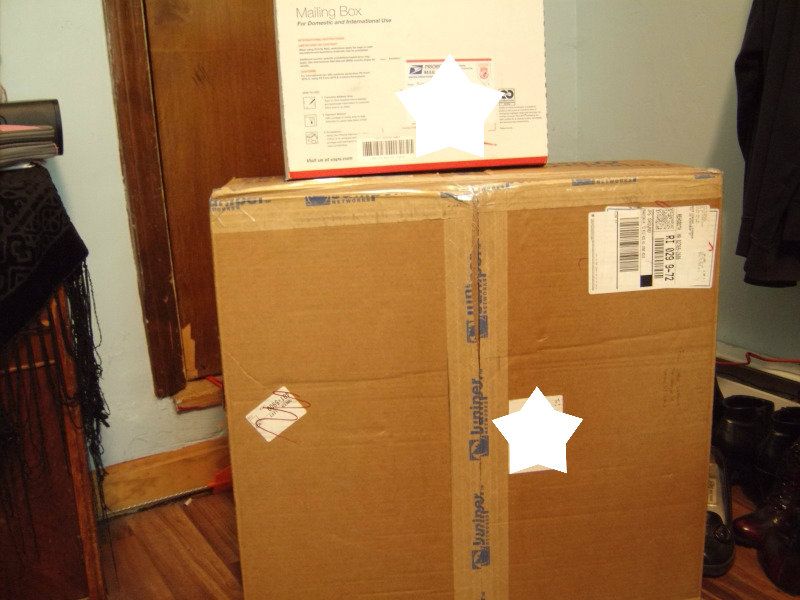

Which then became this:
You can barely make out the dinky eMachines monitor on the far right. I'm not sure how I forgot to check the size of the monitor before I bought it. The 23" screen is a pretty noticeable improvement over my 17". In comparison to the 20" Touchsmart, you can really see the 1080p/16:9 difference. that isn't to say the the Touchsmart has a bad screen, because it definitely does not. The Asus monitor just has a more accurately native resolution (if such a thing is possible).

In any case, for a used monitor, this thing  runs very well. I doubt I will notice a difference in latency with games like Disgaea 4, but I can say that the refresh rate(?) has really improved the "blur" that occurs during fast movement.  The PS3 is plugged in via HDMI, the desktop is in DVI, and switching between the two is only a matter of pressing a button on the monitor. For recording video, I will still need to play on the television because of the Hauppauge HD PVR's component av requirements. Obviously, the PS3 can switch on the XMB, so long as I am not already playing a game (PS3 limitations).

I'm pretty sure that, in the last time I posted about upgrading my PC, I said I would upgrade the cooling fan, processor and RAM. While it is true that my system is running in the "red zone" according to Speccy and GameBooster, I have managed to play this way for a while. Priority for the next systems upgrade should go towards the HP Touchsmart. While an excellent desktop pc, which plays most online games very well, it struggles on the majority of boxed, highly intensive retail games (such as FFXIV and Tera). The system isn't really old, it just isn't meeting our expectations as games become bigger and better. With luck, I can get a premade gaming rig, which often tends to cost less than building your own (unless you get some Black Friday deals). HOPEFULLY the next time I talk about computer upgrades, it won't be for myself.

Thursday, January 12, 2012

Defossilizing My PC

So, my PC sucked for gaming. I bought it back in 2007 from Best Buy, paying the extra $40 for a memory upgrade(2gb woot), and a bigger LCD monitor(17 inches woot). Back then, all I played was Final Fantasy XI and Ragnarok Online; any crappy PC could run these low-tech games. It wasn't until I tried to install FFXIV upon release that I realized:
"Hey, I don't think my computer can handle these new games."
I have grown accustomed to playing PC games on the lowest settings. I really do not mind the jaggies and blurred textures on my screen. Dragon Nest and Vindictus really told me that I had some work to do. Even on the lowest settings; even with in-game modifications removing lag-inducing visuals, I still couldn't run the games any higher than 13FPS. For the longest time, I thought that FPS only affected visuals. Thanks to League of Legends and dozens of missed kills with Leblanc, I discorved that my severely low FPS also gave me input lag in games. In Dragon Nest, I couldn't time my dodges to avoid huge attacks and fire effects would absolutely kill my computer. In FFXI, scrolling through menus took milliseconds longer than other players, so my White Mage felt slow.

What was I working with? According to Speccy:
Vista 32 bit
AMD Athlon 64 x2 4200+
2.0GB Dual-Channel DDR2 @301MHz
Gateway MCP61SM2MA (socket AM2)
128MB GeForce 6100 nForce 205

That is
- 2 1GB sticks of RAM, well below today's standards.
- An AMD dual-core processor that is from 2006.
- Integrated graphics with only 128MB of virtual memory? I don't even think games go that low anymore.
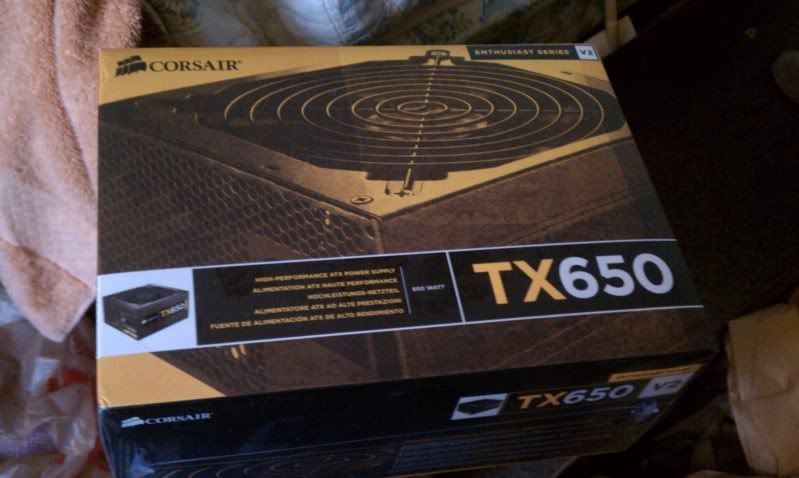
- A stock power supply with 300 maximum Watts.
- A stock cooling fan that has my CPU at 67ºC with League of Legends running on max settings.

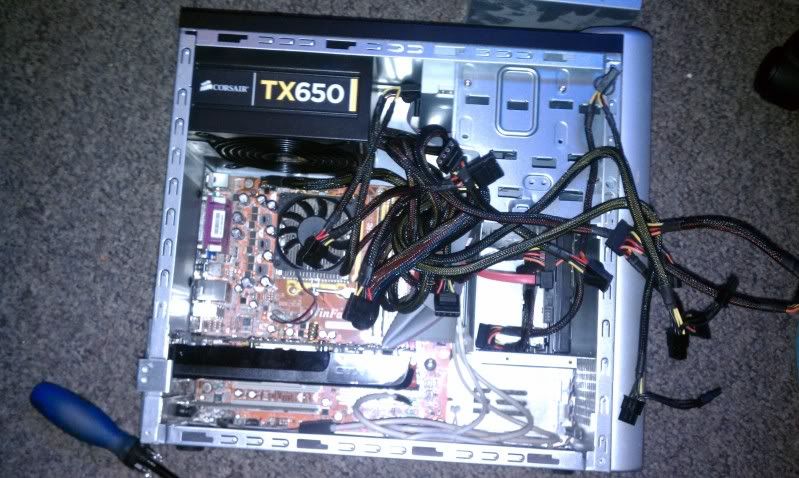
As you can see, there was a lot of work to do. With the holidays behind us, I was about to make a few upgrades to improve my gameplay. Money was a little tight, and I didn't need anything extravagant. I am used to playing on minimal settings, and I often still do, even with my upgrades:


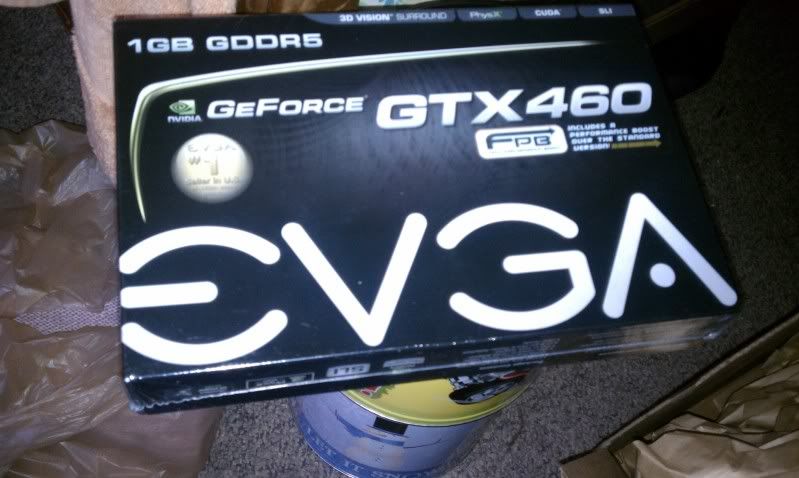
What a mess. The stock case had random metal tabs everywhere that required pliers to move. I'd imagine they are there to keep the factory pieces in line and keep out larger, better hardware. A little bit of hammering was done to break some pins from the case. I also had to move my HDD to the secondary slot in order to fit in that ultra-long graphics card. I was afraid that I would need to drill holes for my PSU, but ATX models all have the same screw layout. With these 2 items alone, I have double the Watt capacity and a three generation jump in graphics processing. As I said before, I don't care to run things at their highest settings; I just want an FPS increase.
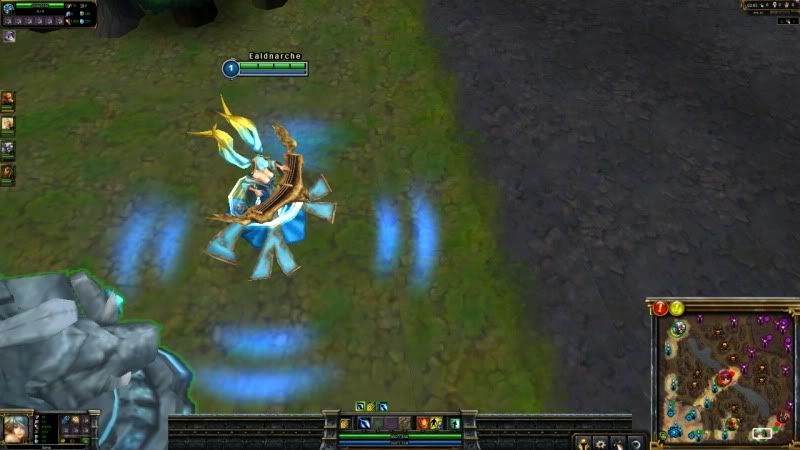
Before

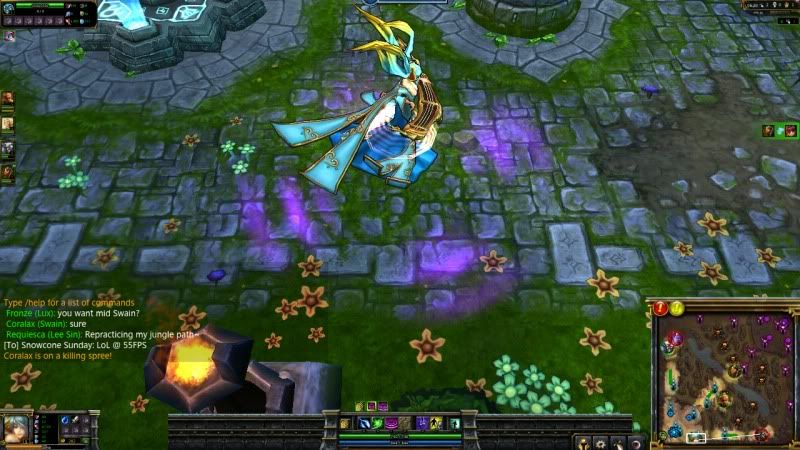
After
However, it does look dang nice on those high settings. Who knew there were flowers on the Spring map!?

Dragon Nest is just as good, though I will only play that game on low settings with lag-reducing mods. Since I am a tanking Paladin, being able to block on command has improved my survivability tenfold. The new nests, Manticore and Apocalypse, can't kill me now that I can actually respond to their attacks! It was a $230( I could have spent less than this) investment, but it is already proving to be well worth it. The real proof will come from FFXIV v2.0 and Tera. If I can run those reliably, I will be one happy man.

For the rest of the upgrades to my PC, I will probably go in this order:
1) Cooling Unit
2) Tower Case
3) x2 2GB RAM (of 4GB depending on the deals I find)
4) CPU+Motherboard
5) HDD (My PS3 has a larger hard drive than my PC)

Tuesday, December 13, 2011

Video Dump 3 - PSVita edition

[b]PS Vita: AR Suite Demonstration[/b] - sonyplaystation


[b]Shinobido 2[/b] - gamekana999


[b]New Little King's Story [/b] - gamekana999


[b]Lord of Apocalypse[/b] - gamakana999

Monday, May 2, 2011

No Game, All Pain

As a lot of you already know, the Playstation network has been down for a couple of weeks now. For those who don't know, after the hack attempt that froze up Sony's servers, there was a pretty major "security breach" on Sony's network. There have been warnings all over the internet that account holders should change passwords and keep an eye on their credit card and bank statements. Immediately after the security breach, Sony's servers were shut down for "maintenance" as they attempt to encrypt all of our information again. Also, as always, Sony jumps into legal action, and investigation is taking place in many different federal investigation agencies. Sony went after someone who leaked information to get into the console, and they get DDoS attacks from a community that felt wronged? Makes perfect sense. Whether this helped the real criminals gain access to account information is unknown to me, but it is a bit of a coincidence that all of this is happening in such a short amount of time.

Many of the people who don't have lucrative assets tied to their PSN credit account are worried about the Console itself. Will the breach mess with our trophies? What about cloud saves through Playstation Plus service? Will we get any kind of compensation for the time and money lost because the servers had to be shut down? Of course Sony has only said positive things regarding gameplay careers, but any company in a tight spot like this would only want to tell their customers the best. I wouldn't really be surprised if the sync process for trophies goes haywire, especially with millions of users all doing it at the same time.

Photobucket
I'd hate to lose this.


The games I were playing before the network shutdown were MAG and MvC3. MAG is an online only game. Everthing you do is with other people. MvC isn't strictly online, but I dont really have anyone to play it with at home. Besides, the trophies I need to get for it are online trophies. With the network down, I can't play either of these. Sad, I know. There are some offline games I need to work on though, even if I'm not 100% in the mood to play them.

I don't know about you guys, but I have a huge gaming backlog. I play games whenever I'm in the mood to play it. Believe it or not, there was a time where I WASN'T in the mood to play MAG. At that point, I was playing Fallout New Vegas and Disgaea 3. Once my mood changes, I'll pick up a different game. It isn't always about what is new and hot. Today, I feel like failing more at Mirror's Edge(post on this coming soon), so I'll probably play that and New Vegas in between.

Of course, if I had an Xbox, I could be playing that. But...no lol I'm fine with my PS3 that I can't play online with. Please get everything up and running soon Sony, I'm dyin' over here!

Tuesday, January 4, 2011

Blogging Step 2-2: Better videos

Like I said in the last post, I broke down and returned all my items for the Hauppauge HD PVR.

It's actually a pretty nice piece of hardware. The way it works is that you plug your PS3 into it with the component video cables. Then you plug the PVR into your TV with its component cables and into the computer with the USB cable provided. Using the program provided you can capture the gameplay you are making, while playing it in 720p or 1080i on your television. The results are outstanding and I am perfectly satisfied with it.

This is an example(albeit a bad one lol) of more MAG gameplay on youtube with the PVR. You can view it in 720pHD. My computer does cause the video to lag a little in the initial playback, but a quick alt-tab fixes it, and viewing it on my girlfriend's computer shows no issues at all.


I really need to find a program that can edit(for free) the MPEG4 files that the PVR makes. I can make videos more often and prune them for everyone to enjoy if I had a good program. I had a KungFu Rider video I wanted to upload, until I realized that it had a bad picture of me at the end of it lol(the game takes random pictures of you).

So yeah, expect more once I find that program. Then I'll probably have voice-overs to give some detail on what's happening in the video. The blog will have a few recurring things.
Trophy help (Not full walkthroughs, but I'll definently showcase a couple that I am working on.)
Reviews
Requests. Anyone can email me at boogiepopphantom05@hotmail.com for requesting a bit of footage from the games listed on the Library.
Dedicated Game Videos. Things like MAG, Sonic, and other games that I play often will have random videos uploaded here and there.

Sunday, January 2, 2011

Blogging Step 2: Posting videos

I actually started both this blog and the Yugioh blog at the same time. Yugioh is easy to make posts about, but Video Games are a little different. You see, I didn't want to just post pictures of games, or someone ELSE's videos about them. I wanted to show my readers my own gaming. So I bought the Pinnacle Dazzle 100 PVR to record everything and then upload it to youtube(until I can find a batter site, if one exists.) This is an example of Dazzle in action:

As you can see, the video quality is decent as best, and there is a little artifacting at the bottom of the video. The real problem though was playing it on my 32" LCD. Sonic was manageable, but when I got into better games the difficulty skyrocketed. Dazzle takes composite videos, so the best it can record at is 420i. Playing a game in 420i on a 32" TV is complete garbage though. I actually took back the unit and all the cables I bought in order to upgrade to HD recording hardware.


Playing MAG in SD is terrrrrrrible. Somehow I got MVP in that match with such terrible scores, and we still lost lol. I just can't stand it, there's no way I could supply videos for this blog if I was playing in Standard Definition. That's why I bit the bullet and bought the Hauppage HD PVR, which is supposed to be one of the top ranked recording devices for the PS# (as ranked by the Internet). I havent gotten to try it yet, but when I do it will be right here in a blog post.

Wednesday, December 29, 2010

First Post: 500gb time

This blog has been on backburner for a few months now because of 2 vital issues preventing me from using it:
1) A way to show exactly what I'm doing in games.
2) More games and space to play them in.
Luckily enough, thanks to the holidays, I was able to get both! I got a 500gb hard drive and Dazzle SD video recording software. Unfortunately, because I don't have all the cables, I don't have gameplay videos for my first post. Instead, I worked on my second gift for most of the day, installing the 500gb hard drive into my Playstation 3. The process is pretty long(I'm still finishing it up). The work went pretty much like this:

Step 1: Sort through the 59/60gb of console data and figure out what I can keep and what I can get rid of. As a lot of you guys know, not all the data can be copied to USB storage units because they are "copy protected." Also, I only have 2 storage units to work with, a 2gig and 16gig thumb-drive. The PS3 wanted 40gb of free space to backup all of my info, so I had to copy all the game saves it lets me, then delete them -> Delete the corresponding game data ->Delete MAG's game data to get me down to the 14gb I could fit onto the USB ->Backup all the "copy protected" files onto the USB.

Step 2: Swapping the Hard drives was a pain and a half because of a teeny blue screw that Sony practically bolted into the system.

I got this HDD from Best Buy with my GIFT CARDS from my girlfriend and her family, a Western Digital Scorpio Blue 500gb/5400rpm SATA HDD.

Once you get over that freaking screw, the transfer is easy.

After popping it in, the PS3 will automatically ask you to format the HDD. Info like accounts and version are saved onto the PS3's internal memory, so I didn't need update anything.


Step 3: After it formats, we're basically on the home stretch to playing games again. Restoring the backup file off of the USB is a long, annoying process. Many people report freezing, and some even claim their HDD was destroyed. Luckily, I only had one freeze, and that was after pressing the -Okay- button. Restarting the Backup still worked (after letting it install for an hour...). Then I simply add the save files from the 2gb thumb drive.

Step 4: Finally we have to get back ALL the PSN content and game data that I deleted. Also, there is the trophy data that takes a loooong time to sync. My PSN account also claims that I have 159 downloads over the 2~3 years of having my PS3. Of course I don't need all of it, but I'll get back what I can.

Thanks for reading.